
Legacy Install
Vanilla Launcher
Prerequisite: Java
If you already have Java installed, you can skip this step.
You need Java installed in order to run Boze. The Minecraft launcher generally installs a bundled Java runtime; however, it is recommended that you install Java yourself, especially if you plan on using MultiMC.
We recommend Amazon Corretto:
You are free to choose any other distribution.
Windows: if Java is installed but
.jarfiles aren't linked to open with it, try jarfix.
Installation steps
- Download the installer by clicking here.
- Make sure your Minecraft launcher is closed. If it is open, you may have issues with your installation.
- Run the installer jar with Java and select the version you wish to install. It is recommended that you select the Create profile option so you can avoid having to set it up in the launcher.
- Click install, wait for it to finish installing, and launch Minecraft.
MultiMC / Prism
A lot of our users forget Step 1 and Step 6. These are not optional. Please make sure you follow each step of this guide.
- Create a new vanilla instance with your desired MC version.
- Edit instance, and click Add Empty in the right-hand menu.
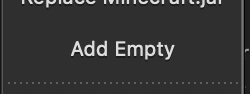
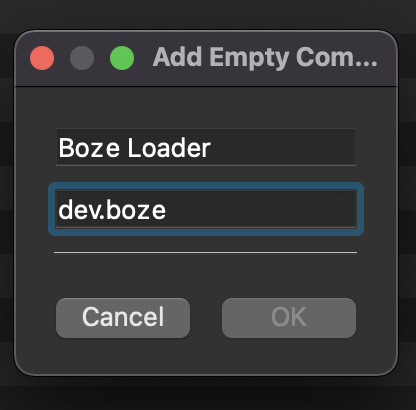
- Call it
Boze Loaderwith the uiddev.boze.
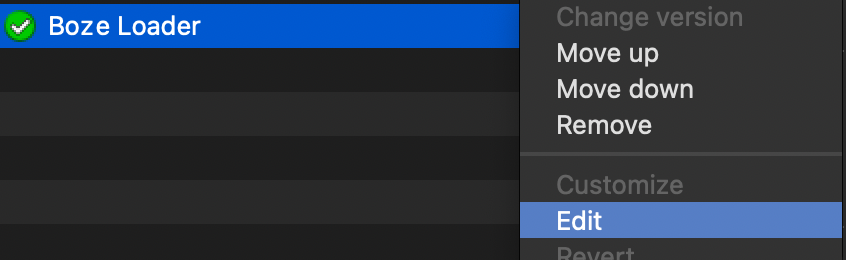
- Right-click
Boze Loaderand select Edit.
- Paste the contents of the JSON below matching your version into
dev.boze.json, replacing any existing content.
| Version | JSON |
|---|---|
| 1.21.4 | mmc-boze-1.21.4.json |
| 1.21.1 | mmc-boze-1.21.1.json |
| 1.21 | mmc-boze-1.21.json |
| 1.20.6 | mmc-boze-1.20.6.json |
| 1.20.4 | mmc-boze-1.20.4.json |
| 1.20.2 | mmc-boze-1.20.2.json |
| 1.20.1 | mmc-boze-1.20.1.json |
| 1.19.4 | mmc-boze-1.19.4.json |
| 1.19.3 | mmc-boze-1.19.3.json |
| 1.19.2 | mmc-boze-1.19.2.json |
| 1.19.1 | mmc-boze-1.19.1.json |
| 1.19 | mmc-boze-1.19.json |
| 1.18.2 | mmc-boze-1.18.2.json |
- Go to instance settings, enable Java Arguments, and paste:
-XX:+DisableAttachMechanism
-DFabricMcEmu=net.minecraft.client.main.Main
--add-opens
java.base/java.lang=ALL-UNNAMED